IKA FLY Is Reborn as Ver2: What's New and Tips for First-Time Flyers
IKA FLY, the flight race where Chibi Squid soars over cities around the world, has been reborn as Ver2. We rebuilt the look, the feel of flying and the amount there is to do. In this article, we at IKA LAB walk through what is new in Ver2 and share tips that make your first flights easier, based on how the game actually works.
The stage: the "Sky Fest", where 20 cities became toys
The world of Ver2 is the "Sky Fest". From Tokyo to Dubai, 20 cities around the world have become pastel-colored toy dioramas. Landmarks such as Tokyo Tower and the Eiffel Tower stand there as chunky little toys.
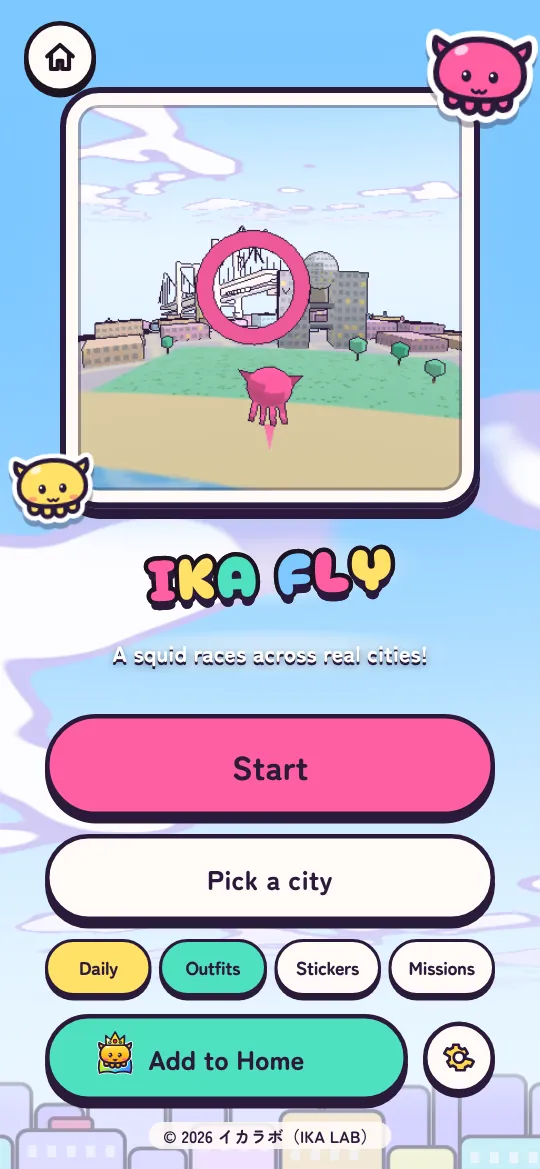
Chibi Squid races three rivals: Sora, Lemon and Mint. Fly through the glowing rings in order, and finish in the top 3 to unlock the next city. There are three difficulties, Easy, Normal and Hard, and unlocked cities are saved per difficulty.
New mechanics that reward flying fast
The biggest change is how speed works. Two rings in a row gives "BOOST!", four gives "BOOST!!", and seven gives five seconds of "Squid Speed!", so you keep getting faster. Passing through the center of a ring is a "Perfect" and counts as three in a row.
There is more: "Close" for flying right next to buildings, "Slip" for tucking in behind a rival, ink orbs to collect along the route, the "Ink Dash" that uses your gauge, and a "Ghost" of your own best run to race against. City twists now come in six kinds: updrafts, spinning rings, shortcut gates, firework rings, cities full of ink orbs, and fork gates.
- Boost chains (2, 4 and 7 rings) and Squid Speed
- Perfect, Close and Slip
- Ink orbs and the Ink Dash
- Ghost (your best)
- Six kinds of twists (Osaka and others have fork gates)
Rebuilt to be easier on the stomach
In Ver2 we made sure people who get motion sick in 3D games can play too. The camera does not tilt (you can set it to "A little" in the settings), and turning speed is limited. Screen shake and speed lines start switched off.
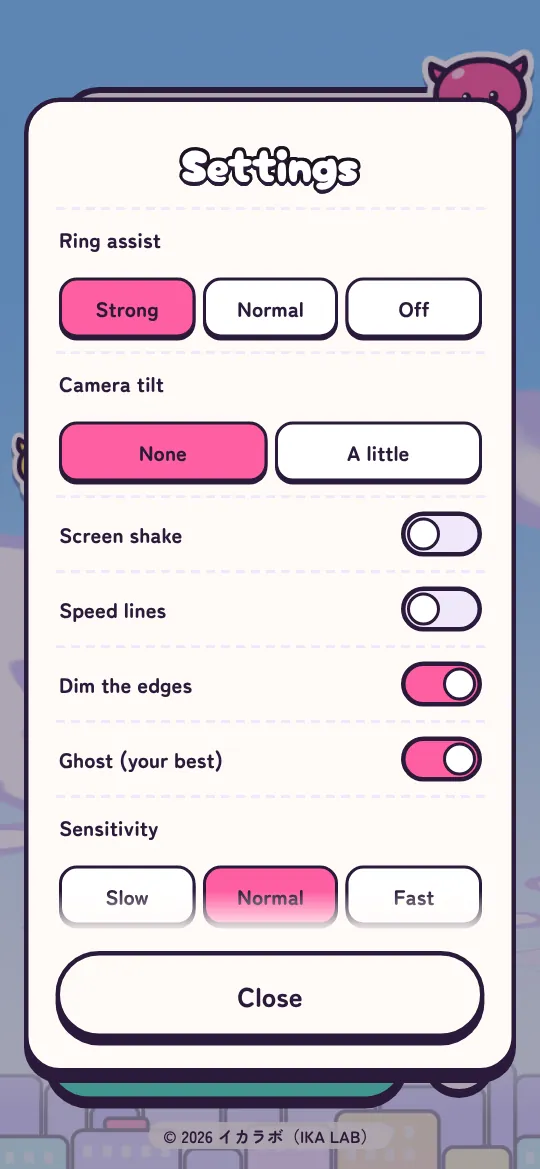
"Ring assist", which gently pulls you toward the rings, has three levels: Strong, Normal and Off. If you leave the setting alone, the first three cities use Strong and the fourth city onward uses Normal. There are two control styles: "Drag", where you slide your finger, and "Tap sides", where you press the left or right side of the screen. On a computer, steer with the arrow keys or WASD and press Space to Ink Dash.
Plenty of rewards to keep you playing
When you finish, you earn ★ based on your place and time: ★1 for the top 3, ★2 for 1st, and ★3 for 1st faster than the target time. Times are only recorded when you finish in the top 3.
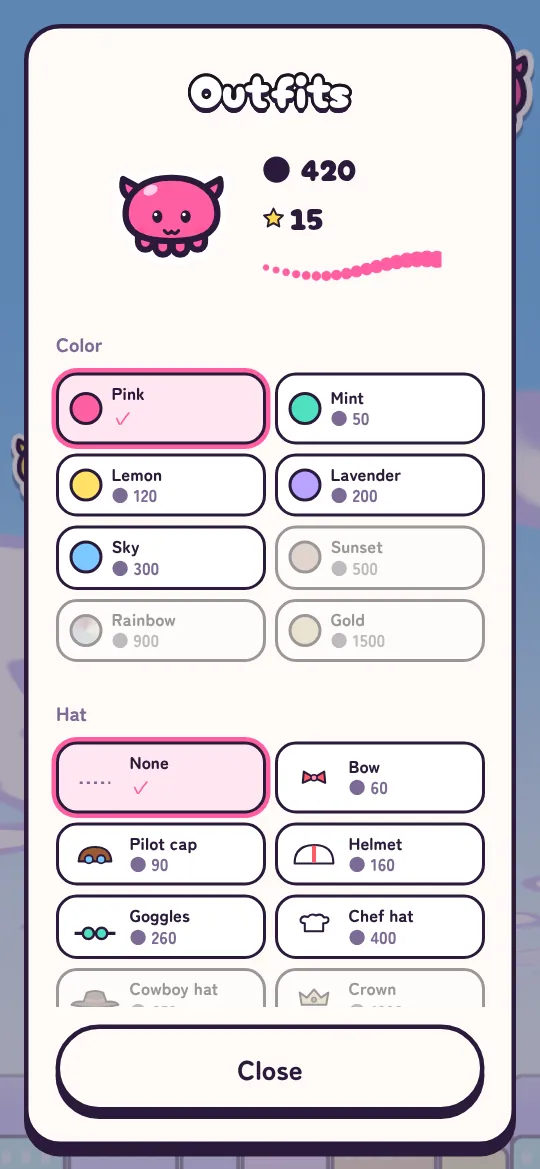
Ink orbs you collect buy outfits such as colors and hats, and collecting ★ unlocks more ink trails. Grabbing the gold feather hidden in each city adds a sticker to your Sticker Book, and clearing Today's Challenge, which changes daily, seven days in a row earns the gold cap. There are also missions, the "World Tour" where you pick a reward for keeping a top-3 streak, and "Record cards" that turn your results into an image you can save.
Tips for first-time flyers
Finally, here is what we would like first-time flyers to know.
- Move your finger in small steps. Turning speed has a limit, so big movements don't make you turn faster.
- With automatic height you pass a little below the center of a ring. Nudge up only when you're going for a Perfect.
- Missing a ring is "Safe" the first time on each stage. Bumping into buildings just makes you bounce with a "Boing!", and there is no game over.
- If you stray too far or get stuck, a "Back to course" button appears. Using it means you can't finish 1st that run, so fly back yourself when you can.
- Once your gauge is half full, use the Ink Dash on a straight stretch. Using it right before a ring makes it easy to overshoot.


