IKA PAINT Guide: Steering Tips, Rocks, Sea and Whirlpools, Dead Ends and Your Safe, How Hints Work, Praise Words and IQ
IKA PAINT is a one-stroke puzzle: you drag the squid with your finger, and every tile it passes gets painted with squid ink. The only rule is "pass through every tile exactly once," but boards grow as you go, and rocks, sea and whirlpools make the route trickier. Here, as the makers at IKA LAB, we explain how the game actually works: steering tips, the stages where new tiles appear, the safe dead end, how hints work, praise words and IQ.
Reading the screen and steering the squid
At the top is the stage number, below it the "Solve it for IQ ..." tag, and right below that a bar showing how much of the board you have painted. The bar takes the same color as that stage's squid ink. Along the bottom are three buttons: Undo, Hint and Restart.
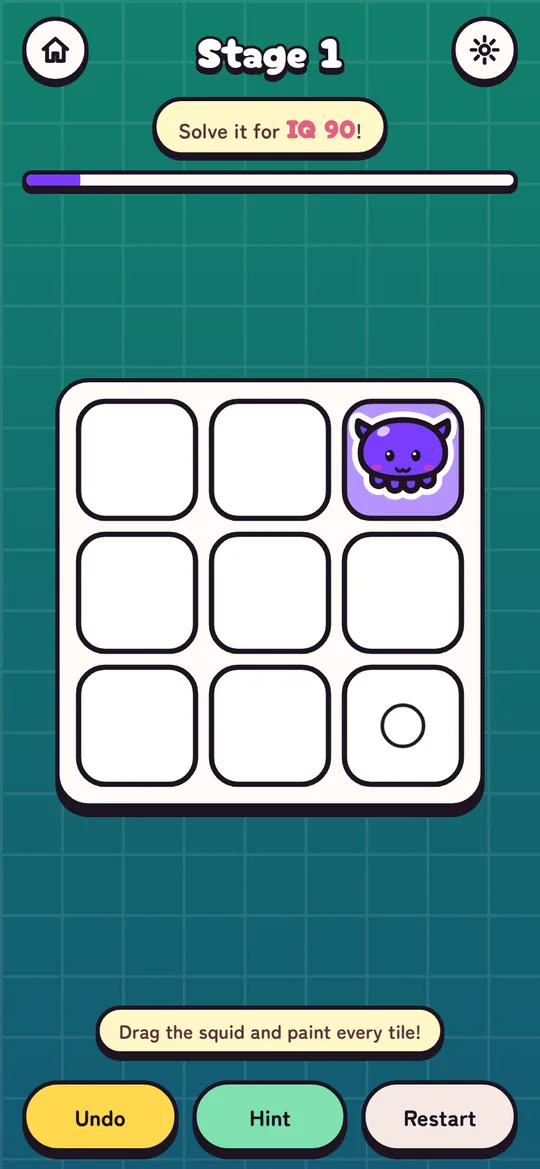
Put your finger anywhere on the board and slide it, and the squid moves toward your finger one tile at a time. It only goes up, down, left or right, but even if you swipe diagonally or fast, the game splits the motion into vertical and horizontal steps and follows tile by tile. It moves along the longer direction first, so near a corner you will turn more reliably if you pause on the corner tile instead of sliding far in one go.
If you go wrong, trace back along your path to step back one tile at a time. The first time you play Stage 1, a tip at the bottom says "Drag the squid and paint every tile!" and a white circle shows which way to go. On Stage 2 the tip says "Trace back along your path to undo."
Rocks, sea and whirlpools start at Stages 6, 7 and 8
You start on a small 3x3 board, boards grow as you go, and the biggest is 6x7. Stage 6 brings the first rocks, which you cannot pass. Stage 7 adds sea tiles you do not need to paint, so boards get gaps and all kinds of shapes. Stage 8 brings whirlpools, which warp you to their twin, and from Stage 44 some boards have two pairs of whirlpools. Each one gets a short tip at the bottom on the stage where it first appears.
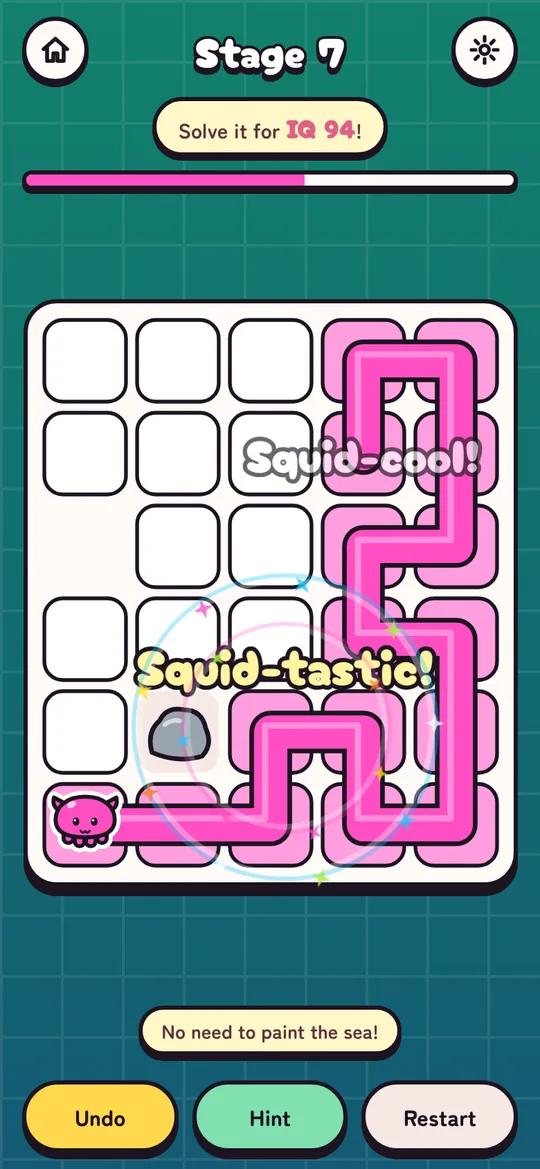
Neither rocks nor sea count as tiles to paint. That sounds easier, but tiles next to rocks or sea have fewer exits, so they tend to become the end of your path. For a tile squeezed between rocks or sea, decide early whether you will pass through it soon or save it as your final tile.
What to watch with whirlpool warps
Step onto a whirlpool and the squid warps to the other whirlpool of the same color, and both tiles get painted at once. On boards with two pairs, the colors tell you which ones go together. If the exit whirlpool is already painted, you cannot enter the other one. Whirlpool tiles can only be painted by warping, so every pair has to be entered exactly once, from one end or the other. Choosing which end to enter from is the real puzzle on whirlpool boards.
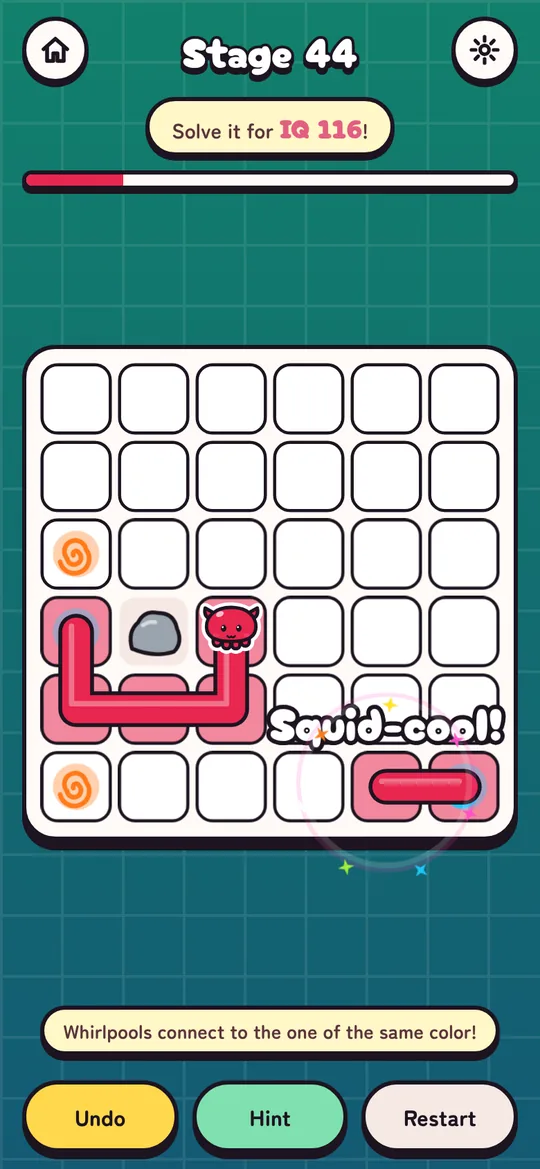
After a warp, the squid waits until you move your finger to its new spot or lift your finger. Even if you keep swiping from the momentum, it will not run off in a strange direction. To take the warp back, press Undo once and you are back in front of the entrance.
Plan where you will go after you come out, too. If the tiles around the exit are already painted, you will hit a dead end the moment you arrive.
One safe dead end per stage
If you stop on a tile with nowhere left to go, the board shakes and the squid's tile flashes red. If it is your first dead end on that stage, you see "Safe! That's a dead end" and it does not count as a miss. From the second one on, you see "Dead end!" and it counts as a miss. Either way, after a moment the squid steps back one tile by itself.
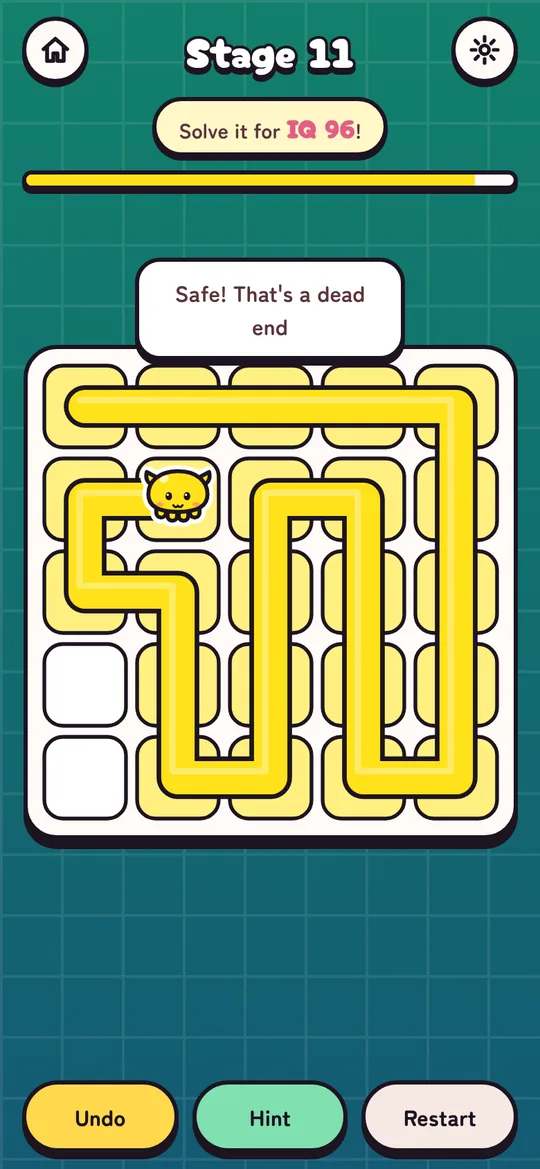
After a dead end, the squid will not move again until you lift your finger. Swiping in a hurry does nothing, so let go first and then look for another route. Your safe comes back each time you start a new stage. Using Restart to wipe the path does not give the safe back on that stage.
The two things the Hint button checks
There is no limit on hints. Press Hint and the squid moves one tile forward. If your current path cannot paint every tile, you see "Let's back up a bit!" and it steps you back one tile. Keep pressing and you will always get back onto a working route. Using hints does not change your misses or your safe.
When the game looks for a route, it checks two things. First: have the unpainted tiles split into two separate areas? If so, you can never reach one of them. Second: are there two or more tiles with only one exit, not counting the ones next to the squid? A one-exit tile can only be the end of your path, so two of them mean the board cannot be finished. When you think it through yourself, checking just these two things helps you spot a mistake early.
Edge and corner tiles have few exits, so leaving them for later tends to turn them into one-exit tiles. Painting along the edges first leaves a wide open area in the middle that is easier to turn in later.
Praise words, Squid-perfect!, clearing and IQ
Praise words pop up when the painted part passes a quarter, a half and three quarters of the board, and whenever you warp through a whirlpool. The more you chain, the higher they go: "Squid-cool!", "Squid-tastic!", "Ink-credible!", "Squid genius!", "Squid legend!". A dead end that counts as a miss sends you back to the first word.
Paint the last tile with no misses (your one safe is fine) and you get the special "Squid-perfect!". When the board is full, ink splashes across the whole screen and "CLEAR!!" appears. After a moment, or when you tap the screen, the next stage begins.
The IQ tag starts at IQ 90 on Stage 1 and rises a little at a time: IQ 120 on Stage 50 and IQ 150 on Stage 100. There is no timer, so take your time. Your progress is saved in this browser, and the title screen shows "From stage ...". Paint all 100 stages and an "All cleared!" card appears, and you can then play again from Stage 1.


