IKA SNIPER Guide & Tips: Aim Ring, Squid Order, 3 Stars
IKA SNIPER is a 3D puzzle where you turn a shape made of blocks and let squids of the same color shoot those blocks away. Two things decide how well it goes: what you can see inside the ring, and which squid you send out when. Here, as the makers at IKA LAB, we explain how the game actually works, how to keep from getting stuck, and how to think about clearing stages with 3 stars.
Start with the title screen and the modes
In the middle of the title screen you choose a mode: Easy, Normal or Hard. Each mode has 1,000 levels. Only Easy is open at first, and Easy Levels 1 to 30 can be picked freely from the start. From Level 31 on, levels open one by one, up to the level right after the furthest one you've cleared.
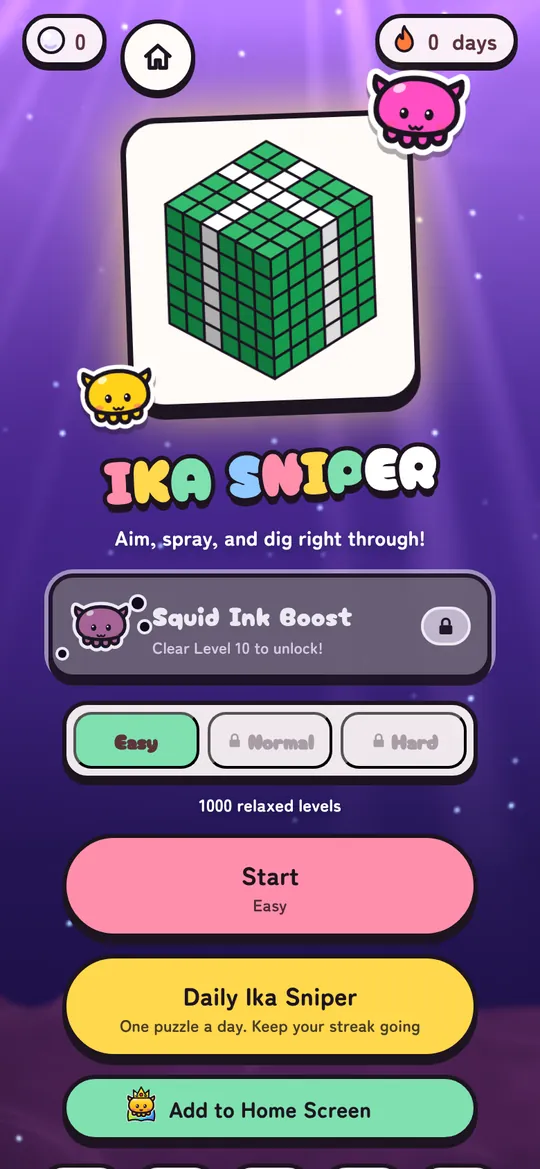
Normal opens after you clear 100 Easy levels, and Hard opens after you clear 100 Normal levels. Each shape is decided by its mode and level number, so the same level in the same mode gives everyone the same shape. That means you can compare how you and your friends broke the same level.
The Squid Ink Boost card above the modes is locked at first. It opens once you clear 10 Easy levels, and then you can tap it to switch it ON or OFF (more on that in the last section). The Daily Ika Sniper button below is a special puzzle that changes every day. Clear it for 30 pearls, plus 50 more for every 7-day streak.
The aim ring: squids only hit same-color blocks they can see inside it
The dashed circle in the middle of the screen is the aim ring. A squid in a slot shoots automatically at blocks of its own color that it can see inside the ring, starting with the ones closest to the center. Even if the color matches, it can't hit blocks outside the ring or blocks hidden behind other blocks.
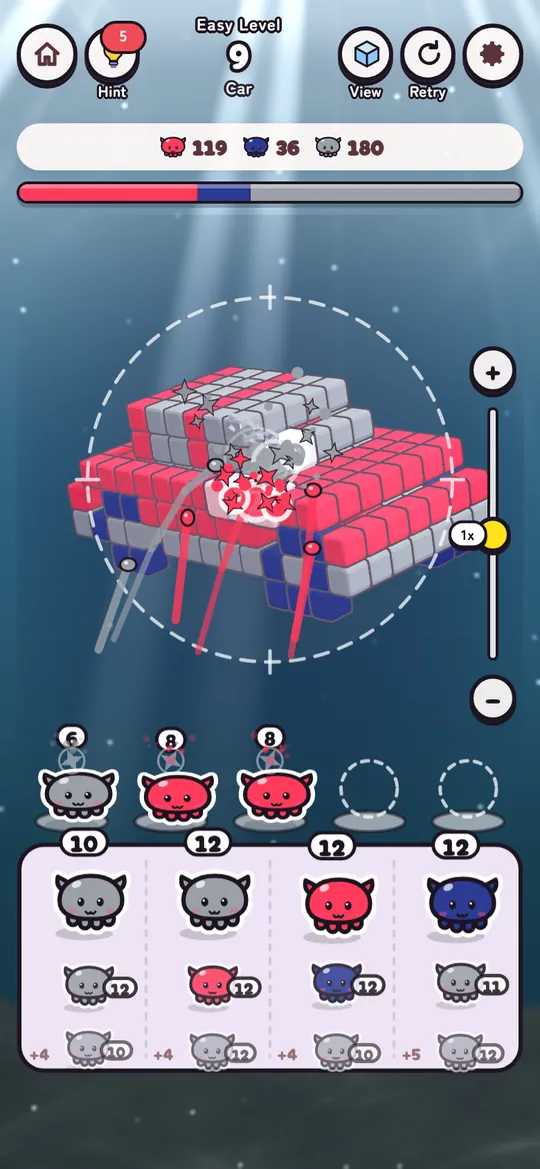
When there's nothing to hit, a "…" bubble appears next to the squid. If that goes on for a moment, a message at the top says "Only same-color blocks you can see inside the ring." That's your cue to turn the shape.
The shape keeps turning slowly even when you don't touch it. Flick it with one finger and it keeps turning that way; hold your finger on it and it stops. The basic move is to stop it with your finger once the side you want is inside the ring. You can zoom with the slider on the right or with two fingers. The "1x" in the middle of the slider resets the size, and the View button at the top puts the shape back to its starting angle and size.
The numbers and bar at the top show how many blocks of each color are left. When a color runs out, its squids head home on their own, even if they're still waiting in a lane, so leftover squids never clog your slots.
The squid order means something
The squids in the four lanes at the bottom aren't placed at random. At IKA LAB, we build the order so that sending squids out in the order they're lined up lets you break every block. The order runs across the front row from the left lane to the right lane, then across the second row from left to right. If you're not sure which squid to send, try going from left to right.
Sometimes, though, a squid for a color buried inside shows up about two places early. That squid can't shoot right away; it waits in its slot until the outside wears away and the inner color comes into view. This starts to happen a little from Easy Level 21 and gets more common in Normal, and then more in Hard.
There are 5 slots, and a squid in a slot can't be taken back. When they're all full, tapping the next squid only shows "All slots are full!" Keep no more than one or two squids waiting for targets, and always leave one slot free to stay safe. From Hard Level 301, there are only 4 slots, so this matters even more.
Special blocks: when they come and how to break them
The card shown before a level starts tells you how many blocks and colors it has, and which special blocks it holds and how many. The first time a kind of special block appears, a New blocks card explains it.
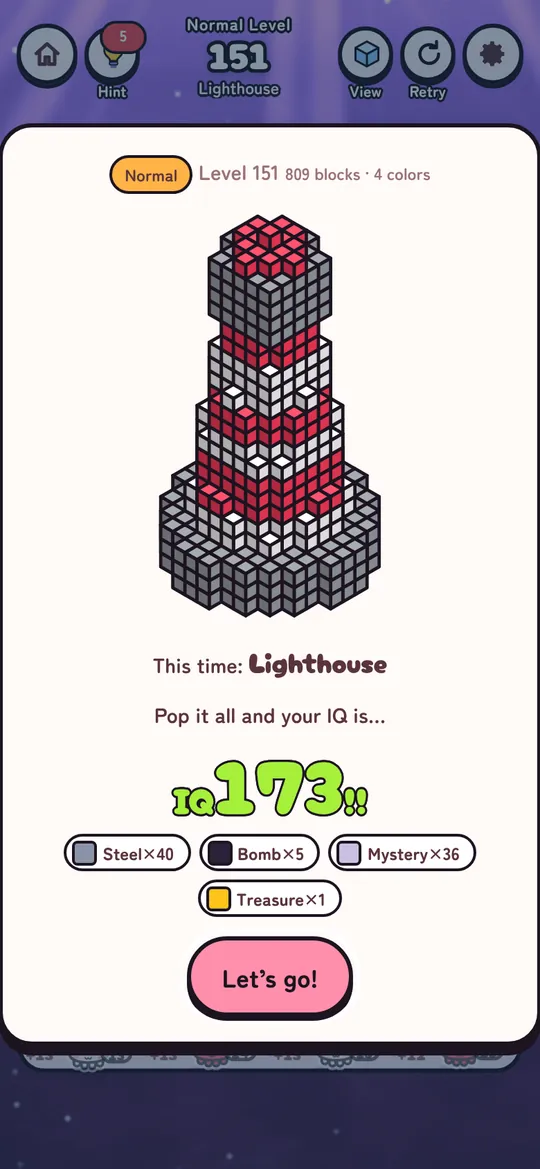
- Steel: takes 2 hits. The first hit makes a CLANK! sound and its grayish color turns back to its real color. It uses up more of your squids' shots.
- Bomb: a dark block that flashes a color now and then. Break it with a squid of that flashing color and the blocks all around it, diagonals included, break too.
- Mystery: a pale purple block. Its color shows once a block next to it breaks, and only then can it be hit.
- Treasure: a gold block buried deepest inside. You don't shoot it. The moment a straight path opens from it to the outside, you get it automatically for +20 pearls (once per level).
When special blocks appear, and tips for breaking them
In Easy, special blocks are added a little at a time. Treasure appears from Level 26 (when the shape is deep enough), Bombs from Level 51 (two of them from Level 301), Steel from Level 81, and Mystery from Level 121. Normal and Hard have all of them from Level 1, and Hard has even more Steel and Mystery blocks.
A Bomb clears a big space around it, so it's a shortcut when you want to see the inner colors sooner. A Mystery block keeps its color hidden until a neighbor breaks, so use the colors around it first. Treasure comes out when your hole connects straight to the outside, so dig as if you're making one straight tunnel.
In Easy (from Level 6) and Normal, a METEOR ALERT!! can appear at the start of a level. One to three meteors fall and blast holes in spots you can see inside the ring. You can't send out squids while they're falling, so just wait a moment. There are no meteors in Hard or in the Daily Ika Sniper.
Hints when you're stuck, and earning 3 stars and pearls
If your slots are full (or no squids are left in the lanes) and none of them can hit anything from any angle, the "Squids are stuck!" card appears. Choose "Use a hint: send 1 squid back" (or watch an ad if you have no hints), then tap a squid in a slot and it goes back to the end of its own lane. You can also choose "Restart the level."
The Hint button with the light bulb at the top looks at the squids in your slots and the front squid of each lane, finds the squid and angle that can hit the most blocks, turns the shape to that angle and points at that squid with a yellow arrow. You start with 5 hints. In the Shop you can get 3 for 30 pearls, or 1 by watching an ad. If no squid can hit anything, you'll see "No hint right now" and the hint isn't used up.
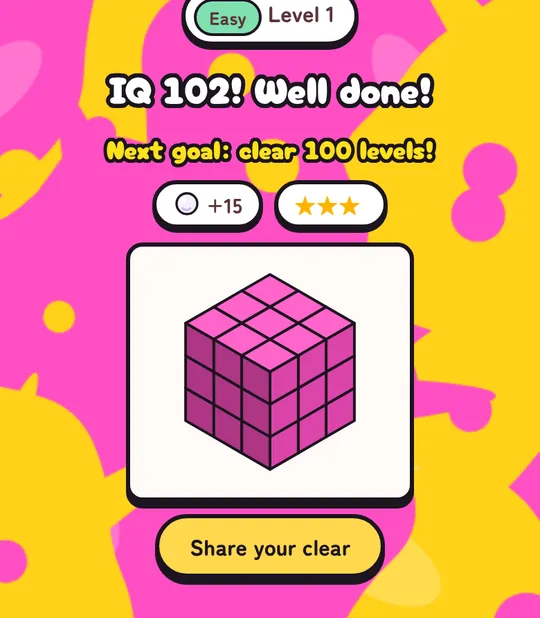
Your stars depend only on how many squids you sent back. None means 3 stars, one or two means 2 stars, and three or more means 1 star. Using the Hint button doesn't cost stars. Each time a squid uses up its shots and leaves, the praise climbs: "Squid-cool!", "Squid-tastic!", "Ink-credible!", "Squid genius!", "Squid legend!" Clear without sending any back and you'll see "Squid-perfect!"
Pearls: 10 for a first clear (15 in Normal, 20 in Hard), 3 for each clear after that, and 5 more for a clear with no squids sent back. The first time you clear each 100th level, you also get a bonus. With Squid Ink Boost ON, a squid that runs out of shots squirts ink one last time and breaks 2 blocks inside the ring, whatever their color. You can turn it OFF if you want to think it all through yourself, and it isn't available in Hard.


