All About Sound: Music for Each Game, Three Volume Settings and the Praise Sound
What makes a game fun isn't only what you see. This time, we're writing about the sounds you hear in IKA LAB's web games: how the music is made, how we choose songs for each game, how volume works, and the praise sound.
Music without audio files
The music in IKA LAB's web games doesn't come from audio files. Instead, the browser plays each song on the spot, reading song data that works a bit like sheet music. We call this music system "IkaBGM." It uses Web Audio, the sound features that come built into the browser.
IkaBGM and the data for every song are built right into each game's HTML. This makes each game about 0.4 MB larger, but we chose this setup so that players can pick any song they like from the full list in the settings.
We also added a safeguard against distortion at the very end of the sound chain. Even when lots of sounds overlap at once, it helps keep them from turning harsh on the ears.
The instruments aren't recordings, either. Piano, guitar, drums, koto, shamisen, taiko drums, and even waves and seagull calls are all built from scratch by combining the browser's sound features.
100 songs in many genres
The games on our site include 100 songs. IKA BOXING alone adds one more song made just for it, "Ika Boxing," for a total of 101. The genres are: Ikadoku theme, Fired-up battle, Battle, Rhythm, Dance, Upbeat, Relaxing, Rainy day, Nature sounds, Retro 8-bit (in the style of old game consoles) and Japanese style. Every melody is original.
The tempos vary, too. The slowest song has 52 beats per minute, and the fastest ones go above 180. In the Rainy day songs and some of the Relaxing songs, you can also hear rain, or drops going plip, in the background.
Most songs last exactly one minute before starting over from the top. The end of each song flows straight back into the beginning with no gap, so the music never cuts out, even during long play sessions.
Choosing a starting song for each game
In the past, every game played the "Ikadoku Theme." Now each game can have its own starting song, and we're gradually switching each one to a song that suits it. In the code, this "starting song" is called "GAME_BGM," and changing it only takes writing in one song per game.
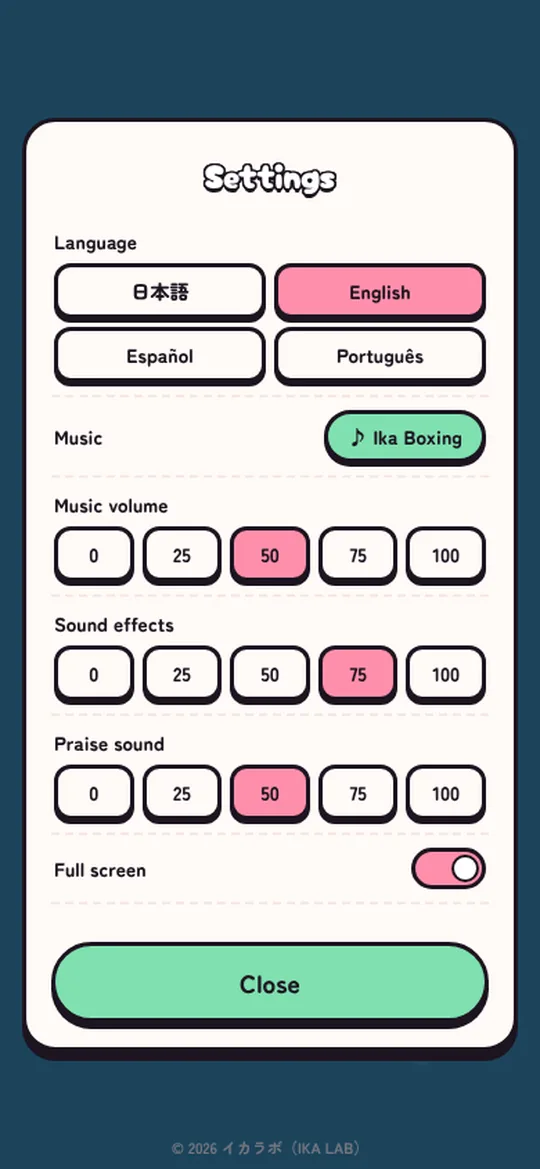
We pick songs to match the mood of the game. For example, the starting song is a Battle song in IKA SHOT, an Upbeat song in IKA FLY, a Rhythm song in IKA GUARD and IKA TOWER, a Retro 8-bit song in IKA SLIDE, and a Nature sounds song in IKA GOLF. IKA BOXING starts with its own song, "Ika Boxing."
In IKA GOLF, the music changes with each course. The forest course has forest sounds, the seaside course has the sound of the sea breeze, and so on—each place gets nature sounds that fit it. The desert, snowfield, volcano and moon courses also each have their own nature-sound songs.
Of course, if a player chooses a different song in the settings, that song is saved. The next time they open the game, it starts with the song they picked.
When the music starts and stops
Phone browsers can't play sound until you touch the screen. So the music starts the first time you touch the screen.
While an ad is showing, the music stops, and when you close the ad, it picks up where it left off. It also stops automatically when you switch to another tab or app.
We also make sure the same song never plays twice on top of itself. If the game tries to play a song that's already playing, nothing happens. When switching songs, the old one doesn't cut off abruptly; it fades down quickly before stopping.
The music is kept a little quieter than the sound effects. That way, the sound effects and the praise sound can be heard clearly instead of getting buried under the music.
Three volume settings and the song picker
In the settings, you can adjust "Music volume," "Sound effects" and "Praise sound" separately. Each has five levels—0, 25, 50, 75 and 100—and Music volume starts at 50. The volume you choose is saved. For Sound effects and Praise sound, tapping a level plays a test sound at that volume.
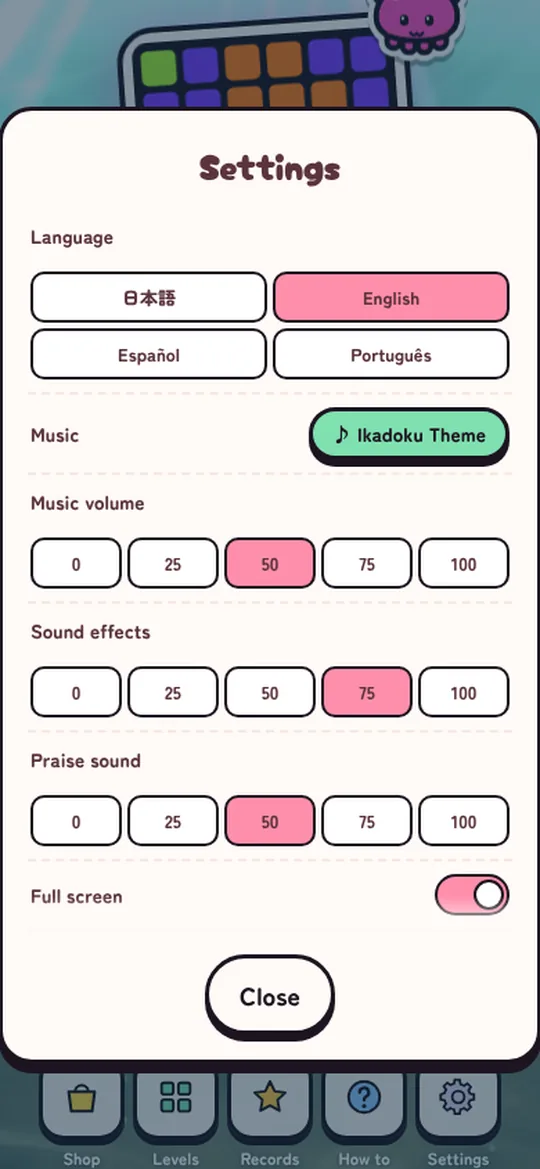
The order of the settings is the same in every game, using IKADOKU as the model. From the top, it goes: Language, Music, Music volume, Sound effects, Praise sound, Full screen. In every game, each setting is in the same place.
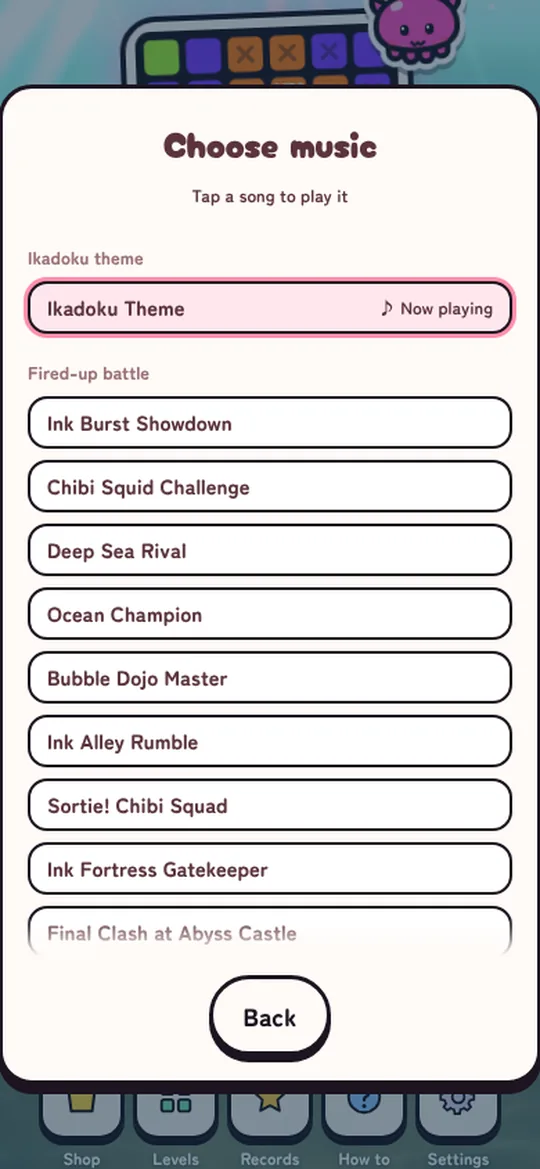
Tap "Music" to open the song picker. All the songs are listed by genre, and tapping one plays it right away. The song that's playing now gets a pink frame and the label "♪ Now playing." When you open the picker, it scrolls automatically to the current song. Song names are shown in Japanese on the Japanese screen and in English in the other languages.
The praise sound is a bright little "tinkle" chime. The more successes you get in a row, the higher it climbs, one step at a time.
Nature sounds and evening out the volume
The Nature sounds songs have almost no melody. Instead, the stars are sounds like forest birds, waves and babbling brooks, with only a very soft chord playing in the background. This is so they don't get in the way of games where you need to focus, like IKA GOLF.
Where the birdsong and waves happen is decided by "fixed random numbers" that come out the same every time. That's why the songs join up naturally at the seam, even when they repeat every minute.
If songs were all different volumes, switching songs could make the sound suddenly jump louder or drop quieter. So we split the songs into three groups—regular songs, quiet songs (Relaxing and Rainy day) and Nature sounds—and evened them out so that songs in the same group are about the same volume.
The music system also includes a checking tool that turns one full loop of a song into sound data so its contents can be examined. It's there to help check for distortion and for spots where the sound drops out.