Published:
To make a recording or video louder, open “Volume Booster,” pick your file, leave it on “Auto,” and tap the button. It raises the sound to about the level of normal music and videos, and holds back loud spots automatically so nothing distorts. Below, we compare it with the usual ways and walk you through it.
Try the Volume Booster tool →Sound familiar?
- A voice recording is too quiet. When you record a meeting, class or interview on your phone from a distance, voices can be hard to hear even at full volume.
- Only the video’s sound is low. You send a video of a school show or your pet, and someone says, “I can’t hear anything.”
- Turning it up made it crackle. Simply making everything louder can make the loud parts clip and distort.
The usual ways, and what’s annoying about them
Here are the common ways people make audio louder:
| Method | Cost | The catch |
|---|---|---|
| Turn up your phone or computer volume while listening | Free | Only helps you. The file is still quiet, so whoever you send it to has to turn it up too. |
| Install audio or video editing software or an app | Free to paid | Takes time to install and learn. It’s tricky to find how far you can go before it distorts. |
| Websites that boost uploaded files | Free or paid | Your recording or video goes to their server, and there may be limits on size or uses. |
| This tool | Free | Background noise gets louder too. Sound that’s already distorted can’t be fixed. |
Editing software is handy if you make audio or video a lot, since it can also cut and join. But when you just need this recording loud enough to hear, you’d rather not install anything.
What “Volume Booster” can do
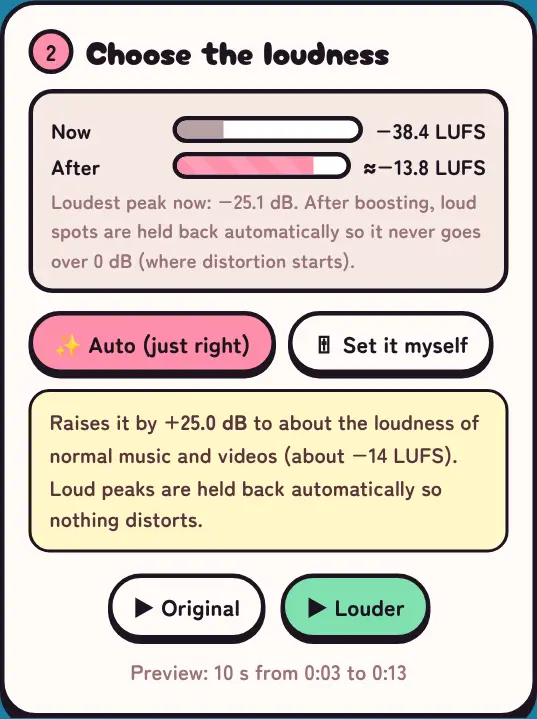
- Auto picks a just-right level: “✨ Auto (just right)” works out how many dB to add so the result is about as loud as normal music and videos (about −14 LUFS).
- Loud spots are held back automatically: after boosting, it looks slightly ahead and holds back only the loud parts so the sound stays under 0 dB, where distortion starts.
- See before and after: “Now” and “After” loudness appear side by side as bars and numbers.
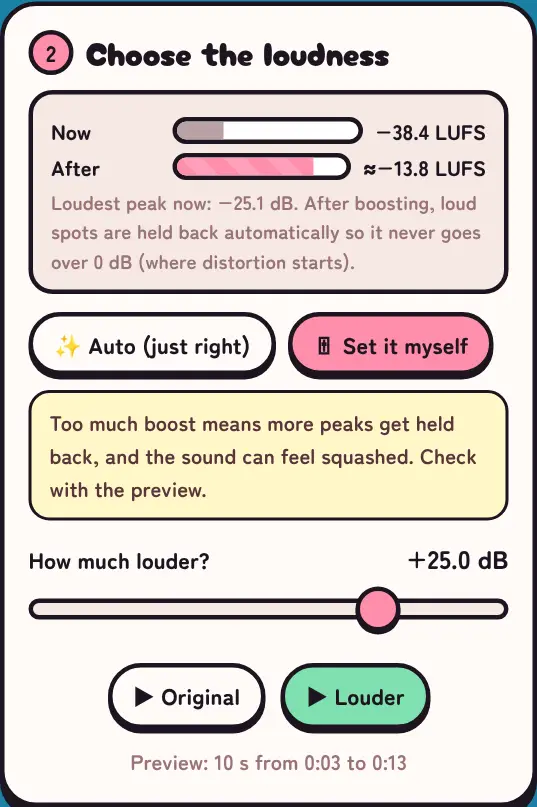
- Or set it yourself: with “🎚 Set it myself,” use the slider to choose how much louder. It won’t go past the point where distortion becomes likely.
- Preview it: compare the busiest 10 seconds with “▶ Original” and “▶ Louder.”
- Videos work too: besides MP3, M4A and WAV, you can use MP4 and MOV videos. The picture is used as is and only the sound is re-made, so video quality doesn’t drop.
- Nothing is uploaded: everything happens inside the page, so your files never leave your device. No sign-up, no watermark, no limits on uses — always free.
How do I make audio louder? Step by step
- Open the page: open “Volume Booster” in Chrome or Edge, on a phone or a computer.
- Choose a file: tap “Choose audio or a video” and pick the recording or video. Its loudness is measured automatically.
- Choose the loudness: “Auto” is fine most of the time. Preview with “▶ Louder,” and switch to “Set it myself” if you want it louder or softer.
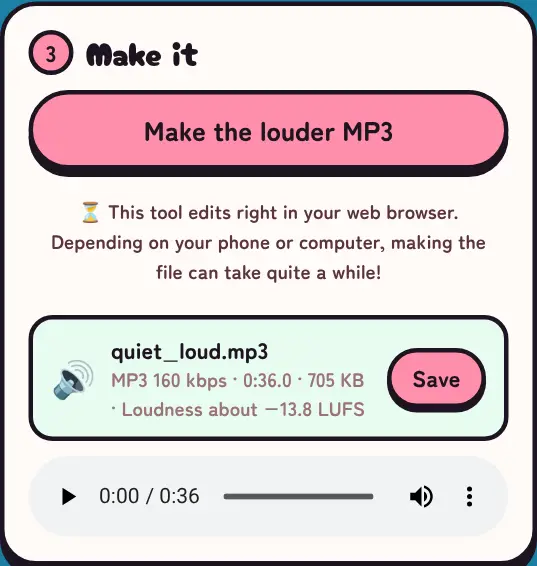
- Make it: tap “Make the louder MP3” (or “Make the louder video” for a video).
- Save: listen to the result, then tap “Save.” It’s named “name_loud.mp3” (.mp4 for videos).
Tips and things to know
- Start with “Auto”: boosting too much means more peaks get held back, and the sound can feel squashed. Auto stops at an easy-to-hear level.
- Noisy? Clean it first: this tool raises the whole sound, so hiss gets louder too. If it bothers you, use Remove Background Noise first, then boost.
- Trim the extras first: cutting empty bits at the start and end with MP3 Cutter before boosting helps the level fit the part you actually want to hear.
- Long files? Use a computer: for long audio (stereo longer than about 20 minutes), the page warns that a phone may stop from low memory. If that happens, use a computer.
We tested it: in Chrome on our test computer, a quiet 36-second mono recording (about −38.4 LUFS) on “Auto” was raised by +25.0 dB to an MP3 (160 kbps) of about −13.8 LUFS. Measuring and making the MP3 each took under a second. On phones and other computers, the time can be very different.
To be honest: parts that were already distorted in the original can’t be fixed. For videos, the sound becomes AAC when your browser can, otherwise Opus (some older players and editing apps can’t play Opus).
Wrapping up
Making a recording or video louder doesn’t mean installing software or hunting for the level where it stops distorting. Pick it, tap the button, and it comes out at an easy-to-hear volume.
Want just the sound from a video? Use Video to MP3. Want several recordings in one file? Try Join Audio Files.